CloudStream v4.6.0 Update New Features, Bug Fixes & Performance Improvements for Android & TV
The CloudStream v4.6.0 update introduces several important improvements focused on performance, usability, and overall streaming stability. In earlier versions, many users experienced issues such as slow navigation, extension compatibility problems, and occasional playback errors while streaming movies or TV shows. This latest update is designed to fix those problems and make the app smoother and more reliable across Android phones, Android TV, and other streaming devices. If you want to install the latest version safely, it’s always recommended to use Official CloudStream Downloads to avoid outdated or modified files. The changelog below highlights the real improvements and fixes that matter to everyday users and help deliver a better streaming experience.
CloudStream v4.6.0 Update Details (Quick Overview)
|
App Name |
Cloudstream (Android & Smart TV Streaming App) |
|
Latest Version |
v4.6.0 |
|
App Size |
61.8 MB |
|
Category |
Streaming & Entertainment |
|
Supported Languages |
60+ Languages Supported |
|
Device Compaliblity |
Android Phones, Andorid TV & TV Boxes |
|
Pre-release Build |
Availabe |
|
Release Date |
October 2025 Update |
|
Total Downlads |
100k+ Users Worldwide |
|
User Rating |
|
|
Updated Type |
Official Stable Release |
CloudStream v4.6.0 Changelog What’s New in the Latest Update
The CloudStream v4.6.0 update introduces several new features focused on improving streaming control, personalization, and the overall user experience across Android phones, Android TV, and Smart TV devices. These improvements help make navigation smoother, playback faster, and settings more flexible for everyday users who want a hassle-free streaming experience. Another useful benefit of the update is better extension support, allowing users to Get latest movies extensions so they can access updated content sources and keep their streaming libraries fresh without dealing with missing links or outdated providers.
Bug Fixes & Performance Improvements
Along with new features, CloudStream v4.6.0 focuses heavily on fixing common user-reported issues and improving app stability for smoother streaming performance.
Why This Version Matters: CloudStream v4.6.0 is a stability-focused update that improves playback reliability, fixes major streaming issues, and enhances usability across Android phones, Android TV, and TV boxes making it one of the most optimized versions released so far.
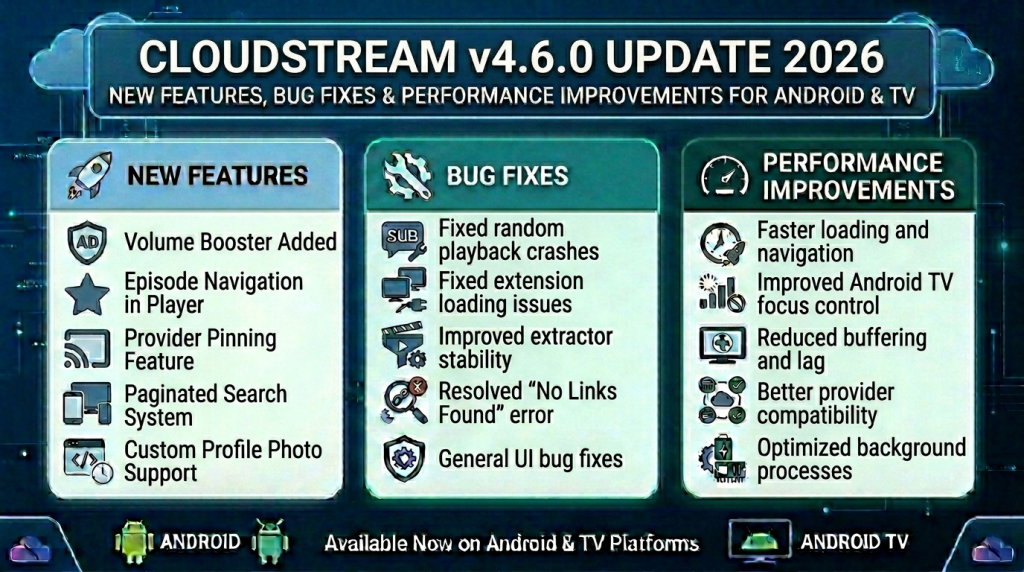
New Features Added in CloudStream v4.6.0
The CloudStream v4.6.0 update introduces several important improvements focused on performance, usability, and overall streaming stability. In earlier versions, many users experienced problems such as slow navigation, extension compatibility issues, and occasional playback errors while watching movies or TV shows. This latest update aims to resolve those issues while also making the app smoother and easier to use across Android phones, Android TV, and other streaming devices. It also improves subtitle support, making it easier for viewers who prefer regional languages to follow their favorite content. If you need guidance, you can check How to set Urdu subtitles to enable subtitles quickly and improve your streaming experience. The changelog below highlights the real improvements and fixes that matter to everyday CloudStream users.
Improved User Interface & Navigation
The v4.6.0 update includes UI and UX refinements that make browsing content faster and cleaner. Menus respond more smoothly, search navigation feels quicker, and overall app interaction is more optimized for both mobile screens and large TV displays.
User Benefit: Easier content discovery and better remote-control navigation on Smart TVs.
Performance & Speed Enhancements
Developers optimized background processes and loading behavior, reducing lag during playback and improving response time when opening extensions or switching sources.
User Benefit: Faster loading streams and fewer buffering interruptions.
Better Extension & Provider Support
This version improves compatibility with streaming providers and extensions, helping reduce common problems such as No Links Found or sources not loading correctly.
User Benefit: More reliable streaming links and stable provider connections.
Enhanced Player Features
New player-level improvements include better episode handling, smoother playback controls, and improved streaming mirror support for different content sources.
User Benefit: More consistent playback experience across movies and TV shows.
Localization & Subtitle Improvements
Subtitle localization and language handling have been updated to support more regions and languages, improving subtitle accuracy and display consistency.
User Benefit: Better subtitle syncing and multilingual support worldwide.
Stability Fixes & System Updates
The update also includes backend optimizations, dependency updates, and extractor improvements that strengthen overall app stability.
User Benefit: Fewer crashes, improved compatibility, and smoother long-term performance.
Why This Update Matters:
CloudStream v4.6.0 is not just a minor update it focuses on fixing real user issues while improving speed, stability, and compatibility across Android phones, Android TV, and TV boxes. Updating ensures you experience fewer errors and more reliable streaming performance.
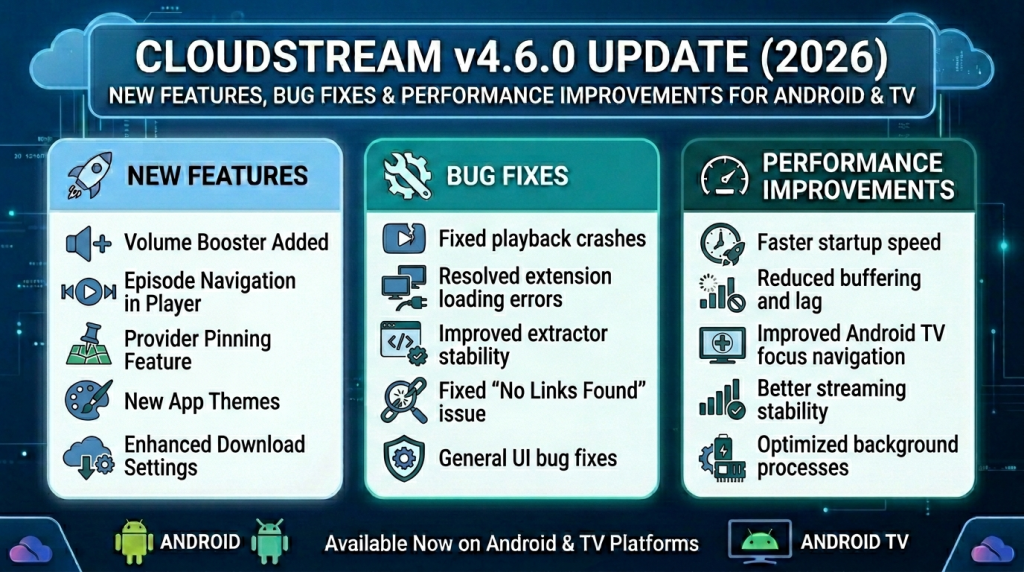
Should You Update to CloudStream v4.6.0? (Benefits Explained)
If you’re currently using an older version of CloudStream, you might be wondering whether updating to CloudStream v4.6.0 is really necessary or just a minor change. Many users only consider updating when something stops working such as links not loading, extensions failing, or playback starting to lag on Android phones or Smart TVs. The good news is that v4.6.0 is more than just a cosmetic update; it focuses on fixing real user issues while improving stability and streaming performance across Android phones, Android TV, and Smart TV devices. If you’re still facing missing streams or provider issues, it can also help to Read No Links Error guide to understand the common causes and quick solutions that restore working streaming links.
Here’s why updating makes sense:
Better Performance & Faster Navigation
The update includes UI optimizations and backend improvements that make browsing, searching, and switching sources noticeably smoother.
- “No Links Found” errors
- Extensions not loading properly
- Occasional crashes during playback
Version 4.6.0 improves extractor handling and provider communication, which helps reduce these common problems significantly.
Benefit: More stable streaming with fewer interruptions.
Fixes Common Streaming Errors
Previous versions reported issues such as:
Benefit: Faster loading time and improved app responsiveness on both mobile and TV devices.
Improved Subtitle & Localization Support
Subtitle grouping and localization improvements make subtitles more accurate and stable, especially for multilingual users.
Benefit: Better subtitle syncing and language support worldwide.
Enhanced TV & Remote Compatibility
Android TV users benefit from improved focus behavior and smoother remote navigation.
Benefit: More comfortable browsing experience on large screens.
New Customization & Player Controls
Features like volume booster, speed dialog improvements, and added personalization options enhance the overall user experience.
Benefit: More control over playback and app appearance.
When Should You Update?
You should update immediately if:
- You’re facing streaming link errors
- Extensions are not loading
- Playback feels slow or unstable
- Subtitles are not working properly
Final Verdict
Yes updating to CloudStream v4.6.0 is recommended. It’s a stability-focused update that improves performance, fixes known issues, and enhances streaming reliability across Android phones, Android TV, and TV boxes. Keeping the app updated ensures smoother playback, better provider compatibility, and fewer troubleshooting headaches in the future.
CloudStream v4.6.0 FAQs (Update Questions Answered)
Final Thoughts: Is CloudStream v4.6.0 Worth Updating?
Yes CloudStream v4.6.0 is worth updating, especially if you’ve experienced issues like “No Links Found,” extension errors, slow loading, or subtitle problems in older versions. This update focuses on performance improvements, better provider compatibility, and smoother navigation across Android phones, Android TV, and Smart TV devices.
By upgrading to v4.6.0, you reduce common streaming errors and gain a more stable, optimized experience. If you want fewer crashes, faster playback, and improved reliability, updating to the latest version is the smart choice.