CloudStream v4.5.1 Update (2026) New Features, Bug Fixes & Performance Improvements for Android & TV
The CloudStream v4.5.1 Update (2026) brings important improvements aimed at making streaming smoother and more stable on Android phones and Smart TVs. Many users in previous versions experienced issues such as subtitle errors, extension problems, playback glitches, or slow app performance that interrupted their viewing experience. This update focuses on fixing those bugs while improving compatibility with Android and TV devices so streaming works more reliably. If you want to install the updated and secure version of the app, you can Download from CloudStream.pk to access the latest build with improved stability. In this guide, you’ll quickly learn what’s new in v4.5.1, which bugs have been resolved, and whether updating will improve your overall streaming experience.
CloudStream v4.5.1 Update Details (Quick Overview)
|
App Name |
CloudStream – Android & Smart TV Streaming App |
|
Latest Version |
v4.5.1 (2026 Stable Release) |
|
App Size |
60.4 MB |
|
Category |
Entertainment / Streaming |
|
Supported Languages |
61 Languages Available |
|
Device Compaliblity |
Android Phones, Android TV, Smart TVs, TV Boxes |
|
Pre-release Version |
Available |
|
Release Date |
5 February 2025 |
|
Total Downlads |
100K+ Active Users Worldwide |
|
User Rating |
|
|
Updated Type |
Official Stable Update |
|
Translation Completion |
74.2% Localization Coverage |
CloudStream v4.5.1 Changelog What’s New in This Version?
The CloudStream v4.5.1 update focuses on refining playback performance, improving subtitle control, and enhancing overall system stability for Android phones and Android TV devices. Many users were looking for smoother navigation, better extension support, and fewer playback errors, and this version introduces practical improvements that directly address those concerns. If you’re still using an older build and experiencing buffering, subtitle issues, or extension problems, it’s recommended to Update to the newest version to benefit from improved compatibility and a more reliable streaming experience. Below is a clear breakdown of the most important changes in v4.5.1 and how they improve everyday streaming.
New Features & Enhancements
CloudStream v4.5.1 introduces several usability and customization improvements:
Bug Fixes & Stability Improvements
CloudStream v4.5.1 also addresses several performance and stability issues:
System Updates & Performance Optimizations
Beyond visible features, v4.5.1 includes backend improvements:
- Optimized internal extractors for improved provider communication.
- Enhanced UI responsiveness on Android TV.
- Improved stability during long streaming sessions.
Why This Update Matters
CloudStream v4.5.1 is a refinement-focused update. It strengthens playback stability, enhances subtitle control, improves extension compatibility, and optimizes performance across Android phones, Android TV, and Smart TVs. For users experiencing minor glitches or looking for better customization, this update provides noticeable improvements without changing the core streaming experience.
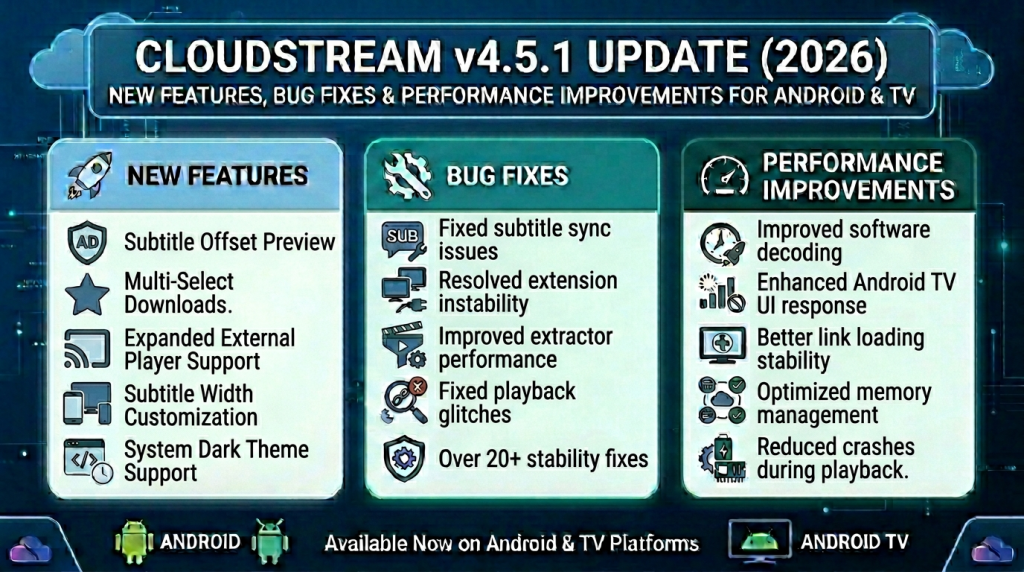
New Features Added in CloudStream v4.5.1
The CloudStream v4.5.1 update introduces practical new features designed to improve playback control, subtitle customization, and overall streaming flexibility on Android phones and Android TV devices. If you were looking for better download management, improved subtitle adjustments, or smoother performance on Smart TVs, this version adds meaningful upgrades that enhance daily streaming use.
Here’s a detailed look at the most important features added in v4.5.1 and how they benefit users.
Subtitle Offset Preview
You can now preview subtitle timing adjustments before applying them.
Why it matters: If subtitles were slightly out of sync, you no longer have to guess. This feature helps you fine-tune timing more accurately for a smoother viewing experience.
Multi-Select Downloads
CloudStream v4.5.1 adds support for selecting multiple episodes or files at once for download.
Why it matters: Perfect for users who want to download entire seasons quickly without selecting each episode individually.
Expanded External Player Support
More third-party video players are now supported.
Why it matters: You get flexibility to use your preferred player for better playback control, advanced codecs, or hardware acceleration.
System Dark Theme Support
The app now better adapts to your device’s system-wide dark mode.
Why it matters: Improves visual comfort, especially for long streaming sessions on Android phones and TVs.
Subtitle Width Customization
Users can now adjust subtitle width for improved readability.
Why it matters: Helpful on large screens like Smart TVs where subtitle scaling affects viewing comfort.
Preview Settings Option
Certain settings now allow preview before final application.
Why it matters: Reduces mistakes and gives users better control over customization.
Improved Software Decoding
Enhancements in software decoding improve compatibility with more video formats.
Why it matters: Ensures smoother playback on lower-end Android devices or older Smart TVs.
Why These Features Are Important
CloudStream v4.5.1 is focused on user control, playback flexibility, and better compatibility across devices. The added features improve subtitle management, download efficiency, player compatibility, and overall usability.
System Updates & Performance Enhancements
If you’re updating to CloudStream v4.5.1 hoping it will solve common streaming problems, the answer is yes it addresses several issues reported in earlier versions. Many Android phone and Android TV users previously experienced subtitle syncing problems, extension instability, minor crashes, and occasional playback glitches. This update focuses on improving reliability and reducing those recurring errors.
Here’s what v4.5.1 improves and how it benefits users:
Subtitle Sync & Display Improvements
Earlier versions sometimes had subtitle offset and grouping inconsistencies.
What’s fixed:
Subtitle offset preview and better grouping behavior.
User Benefit: More accurate subtitle timing and improved readability on both mobile and TV screens.
Extension & Extractor Stability
Some users faced extension loading issues or unreliable link fetching.
What’s improved:
Extractor updates and backend optimizations enhance link communication.
User Benefit: More stable streaming links and fewer interruptions during playback.
Playback & Seeking Fixes
Minor seeking issues and playback inconsistencies were reported in certain formats.
What’s improved:
Enhanced software decoding and playback handling.
User Benefit: Smoother fast-forward and rewind performance across devices.
Crash & Performance Optimization
Occasional app freezes affected some Android devices.
What’s improved:
Better memory management and UI optimizations.
User Benefit: Reduced crashes and smoother navigation, especially on Android TV.
TV Interface Enhancements
Navigation on Smart TVs was sometimes less responsive.
What’s improved:
Improved TV UI responsiveness and remote control handling.
User Benefit: More fluid browsing and better usability on large screens.
Final Answer
Yes, CloudStream v4.5.1 fixes several known issues from previous versions, particularly related to subtitles, playback stability, and extension performance. While streaming source availability always depends on providers, this update significantly strengthens the app’s overall stability and compatibility.
CloudStream v4.5.1 FAQs (Most Searched Update Questions)
Final Verdict: Is CloudStream v4.5.1 Worth Updating?
If you want a smoother and more reliable streaming experience on your Android phone, Smart TV, or Android TV device, then CloudStream v4.5.1 is worth updating. This version doesn’t just add new features it also fixes common playback issues, enhances subtitle control, improves download management, and boosts overall performance. Many users have reported better stability and fewer errors after updating, especially when streaming on larger screens or switching between devices.
Updating ensures you benefit from improved reliability, better compatibility with extensions, and smoother playback making your CloudStream experience faster, more stable, and more enjoyable across all Android-supported devices.