CloudStream v4.5.4 Update (2026) New Features, Bug Fixes & Performance Improvements for Android & TV
The CloudStream v4.5.4 update (2026) introduces important feature upgrades, bug fixes, and performance improvements designed to make streaming smoother on Android phones and Smart TVs. Many users previously experienced problems such as subtitle errors, “No Links Found,” extension failures, or slow playback, which affected the overall viewing experience. This update focuses on improving stability, fixing common streaming issues, and enhancing provider compatibility so extensions can fetch links more reliably. If you want a safe and updated version of the app, you can learn how to set up CloudStream v4.5.4 by following the official guide on CloudStream.pk to ensure you configure the app correctly with the latest improvements. In this guide, you’ll quickly discover what’s new in v4.5.4, what problems it fixes, and whether upgrading is the right choice for your device.
This version is outdated. Learn how to set up the latest version here: CloudStream v4.8.0 Setup Guide
CloudStream v4.5.4 Quick Overview
|
App Name |
Cloudstream (Android & Smart TV Streaming App) |
|
Latest Version |
v4.7.0 (2026 Stable Release) |
|
App Size |
60.8 MB |
|
Category |
Entertainment / Streaming |
|
Supported Languages |
60+ Languages Worldwide |
|
Device Compaliblity |
Android Phones, Android TV, TV Boxes |
|
Pre-release Version |
Available |
|
Release Date |
23 July 2025 |
|
Total Downlads |
100K+ Global Users |
|
User Rating |
|
|
Updated Type |
Official Stable Build |
What’s New in CloudStream v4.5.4?
The CloudStream v4.5.4 update focuses on improving streaming stability, playback control, and overall app performance across Android phones and Android TV devices. Many users in older versions faced problems such as subtitle misalignment, extension errors, or the common “No Links Found” issue that prevented movies or TV shows from loading properly. This update introduces meaningful fixes and small but useful improvements that make the app smoother and more reliable for everyday streaming. If you’re still using an older build and experiencing these problems, it’s recommended to follow our setup guide for the newest version so you can benefit from improved extension compatibility, better playback performance, and a more stable streaming experience.
New Features in CloudStream v4.5.4
This version introduces enhancements designed to give users better control and smoother streaming:
Bug Fixes & Stability Improvements
CloudStream v4.5.4 also focuses heavily on resolving common user-reported issues:
Why This Update Matters
CloudStream v4.5.4 is not just a minor tweak it improves provider compatibility, playback control, and extension stability. For Android and Smart TV users, this means fewer errors, better subtitle handling, and more reliable streaming links.
How to Set Up CloudStream v4.5.4 New Features Explained
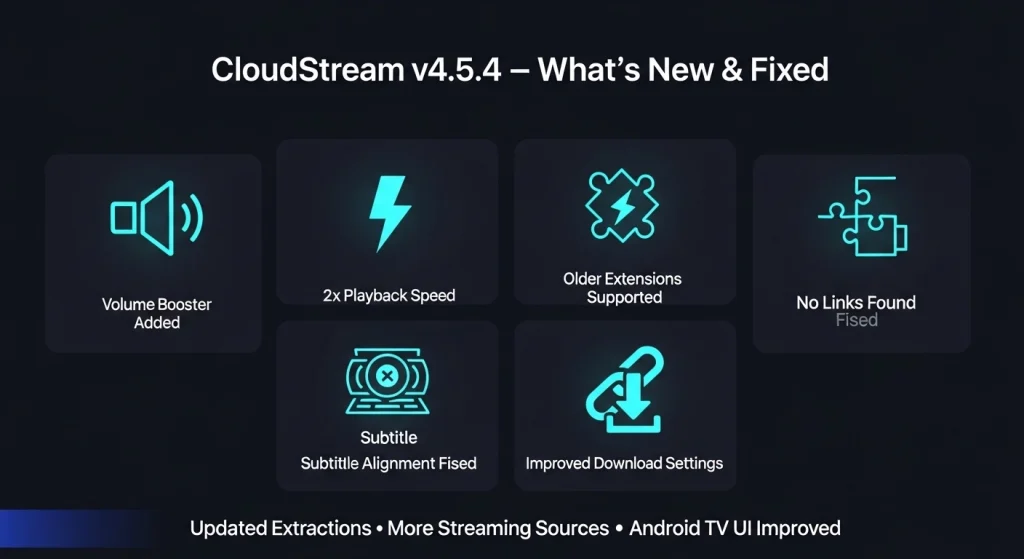
The CloudStream v4.5.4 update introduces several practical improvements aimed at making streaming smoother, faster, and more reliable on Android phones and Android TV devices. Many users were looking for better playback control, improved extension support, and enhanced performance and this version addresses those needs directly. Below is a breakdown of the key features added in v4.5.4 and how they benefit everyday users.
Volume Booster Support
CloudStream v4.5.4 adds an integrated Volume Booster option, allowing users to increase audio levels during playback.
Why it matters: Improves sound clarity when streaming on low-volume TV speakers or mobile devices.
Support for More External Players
This version expands compatibility with additional external video players.
Why it matters: Gives users more flexibility in choosing their preferred playback app for smoother video performance.
Double Playback Speed Option
A 2x speed option has been added for faster viewing.
Why it matters: Perfect for users who want to quickly watch episodes, highlights, or specific scenes.
Improved Download Settings
Download management has been enhanced for better control over offline content.
Why it matters: Helps users organize and manage downloaded videos more efficiently on Android devices.
Expanded Streaming Sources
More streaming providers have been added to increase link availability.
Why it matters: Reduces “No Links Found” issues and improves content accessibility.
Extended Support for Older Extensions
Compatibility improvements allow older extensions to work more reliably.
Why it matters: Prevents extension errors and improves overall streaming stability.
Updated Extractors
Core extractors responsible for fetching streaming links have been updated.
Why it matters: Enhances provider communication and reduces loading failures.
UI/UX Improvements
Interface refinements improve navigation and responsiveness across mobile and TV screens.
Why it matters: Makes browsing and selecting content easier, especially on Smart TVs using remote control.
Why These Features Are Important
CloudStream v4.5.4 focuses on practical improvements that directly impact user experience better audio, smoother playback, improved link availability, and stronger extension compatibility. For Android and Smart TV users, these updates mean fewer interruptions and more reliable streaming.
Should You Update to CloudStream v4.5.4? (Benefits Explained)
If you’re currently using an older version of CloudStream and wondering whether it’s worth updating to v4.5.4, this section will help you decide with confidence. Many users hesitate to update because they fear losing settings, facing new bugs, or not seeing real improvements. CloudStream v4.5.4 brings meaningful enhancements and stability fixes specifically designed to improve performance on Android phones, Android TV, and Smart TV devices making the update more than just a routine patch.
Here’s why upgrading to v4.5.4 is worth it:
Fixes Common Streaming Errors Reported by Users
Older versions sometimes show errors like:
- “No Links Found”
- Extensions not loading
- Subtitle misalignment
v4.5.4 addresses these issues by updating extractors, improving provider support, and refining subtitle handling reducing the frequency of these interruptions.
Benefit: More reliable links and fewer playback problems during streaming.
Improved App Performance and Responsiveness
CloudStream v4.5.4 includes performance optimizations that make the app faster and smoother to use whether browsing content, switching sources, or opening extensions.
Benefit: Faster navigation and less lag on both mobile devices and Smart TVs.
Enhanced Playback Experience
New features like volume booster, external player support, and double playback speed weren’t just added for convenience they deliver a better overall viewing experience tailored to user needs.
Benefit: More flexible playback control and a personalized streaming experience.
Better Support for Extensions & Providers
One major cause of streaming issues is outdated or incompatible extensions. This version improves compatibility and extends support for older extensions that previously failed.
Benefit: Improved link availability and broader content access.
More Streaming Sources Added
Having more streaming sources reduces the chance of link errors and “No Links Found” responses.
Benefit: Access to a wider range of movies, TV shows, and live content.
Final Recommendation
Yes updating to CloudStream v4.5.4 is recommended for most users. Whether your priority is better stability, fewer errors, smoother playback, or more features, this update delivers real improvements that enhance your streaming experience on Android phones, Android TV, and Smart TV devices.
CloudStream v4.5.4 Frequently Asked Questions
Final Thoughts: How to Get the Best from CloudStream v4.5.4
If you want a more stable and smoother streaming experience on your Android phone, Smart TV, or Android TV device,then CloudStream v4.5.4 is worth setting up on your device.. This update isn’t just a minor patch it brings real improvements that fix common issues like subtitle errors, extension loading problems, and “No Links Found” messages that many users face. With performance optimizations, better link extraction, and enhanced playback features, v4.5.4 is designed to make everyday streaming more reliable and enjoyable.
Updating ensures you benefit from these fixes and enhancements, helping you avoid repeated errors and enjoy seamless streaming across devices.
About Author’s
Written by Adam Marsh Android app researcher & streaming tech writer. Reviewed by Maaz Ahmad. To Contact Maaz Ahmad here’s is the link https://www.facebook.com/ranamaaz.ahmad.5